Advertisement
Candy Helper Idle

Candy Helper Idle

Developer: Bravery Current Labs
Updated: 2026-07-21
Casual , Clicker , Idle , Creature , Fish

Review

Candy Helper Idle delivers a stress-free idle experience with its cheerful visuals and simple tap mechanics. The helper collection adds a satisfying layer of progression, and the idle earnings keep you coming back. It is ideal for casual gamers who enjoy gentle, cumulative growth without pressure.

Faq

Is Candy Helper Idle free to play?
Yes, Candy Helper Idle is free to play online. There are no upfront costs or subscriptions required. Some optional in-game items may be available for purchase, but the core experience is fully accessible without spending money.
Can I play Candy Helper Idle on my phone?
Yes, Candy Helper Idle is designed to work on mobile browsers. The touch controls are optimized for tapping, and the interface scales to fit smaller screens. You can play it on smartphones and tablets without downloading an app.
How do I get more helpers in Candy Helper Idle?
Helpers are acquired by spending candies that you collect. As you gather enough sweets, you can purchase new helpers from the in-game shop. Each helper adds to your idle collection rate, so investing in them early boosts your progress.
Does Candy Helper Idle have an end goal?
Candy Helper Idle does not have a fixed ending. The primary objective is to collect as many candies as possible and grow your helper team. Players can set personal milestones, such as reaching a certain candy count or unlocking all helpers.
Is Candy Helper Idle suitable for young children?
Yes, Candy Helper Idle is family-friendly and suitable for young children. The game contains no violence, scary content, or complex instructions. Its cheerful visuals and simple tap mechanics make it easy for kids to enjoy independently.
What happens if I close the game in Candy Helper Idle?
When you close the game, your helpers continue to collect candies in the background. The idle progression system ensures that your candy stash grows even while you are away. When you return, you can collect the accumulated sweets and reinvest them.

About This Game

Core Gameplay Loop

In Candy Helper Idle, players gather sweets by tapping the screen. Each tap adds to your candy stash, which fuels the acquisition of new helpers. These helpers automatically collect candies over time, creating a satisfying idle progression. The more helpers you have, the faster your candy supply grows, even when you step away. This loop encourages short, frequent sessions or longer play periods, depending on your preference.

Visual Style & Atmosphere

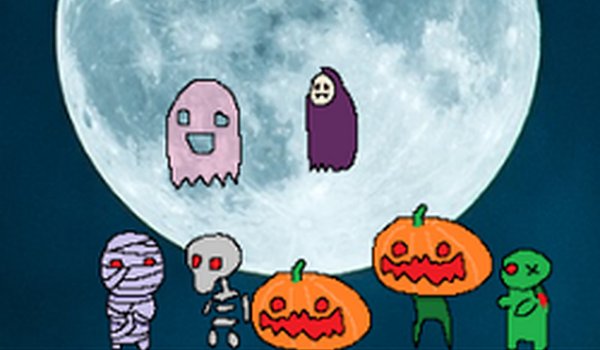
The game features bright, colorful graphics with a festive theme that celebrates Halloween without any scary elements. Characters are designed to be cute and friendly, with exaggerated features and warm colors. The overall aesthetic is playful and inviting, making it accessible to young players and families. Animations are smooth and cheerful, reinforcing the relaxing tone.

Helper Collection & Upgrades

Players can collect various helper creatures, each with a unique appearance. As you gather more helpers, their combined candy-gathering rate increases. The game may offer different helper types that specialize in different aspects of collection, though specific abilities are not detailed. Upgrading your team is the primary way to accelerate progress and reach higher candy totals.

Progression & Rewards

Progress in Candy Helper Idle is measured by the total candies collected. There are no time limits or complex objectives, allowing players to set their own goals. Regular play is rewarded with cumulative gains, as idle earnings build up between sessions. The game provides a sense of steady achievement without pressure, ideal for casual gamers seeking a low-stress experience.

Accessibility & Controls

The controls are straightforward: tap or click to collect candies, and interact with helpers to view them from different angles. No complex menus or tutorials are needed, making it easy for anyone to start playing immediately. The game is designed for both desktop and mobile browsers, with responsive touch and mouse inputs.


Compatibility

This H5 game runs smoothly on:
• Desktop computers (Windows / Mac) • Mobile phones (iPhone / Android)
• Tablets (iPad / Android)
🌐 Best experienced with Chrome, Safari, or Edge

Comments

0 comments
U
User
Loading comments...