Color Bridge Runner - Arcade Race

Color Bridge Runner - Arcade Race

Developer: Diamond Vanguard
Published: 2026-02-10
Updated: 2026-07-03
| Action , Adventure , Running , Arcade

Review

Color Bridge Runner - Arcade Race delivers an engaging multiplayer experience where players race across vibrant rooftops, collecting resources to build bridges. The simple controls make it accessible for all ages, while the strategic element of choosing the fastest route adds depth. Each match feels fresh due to dynamic player interactions and varied resource placement. It is a great choice for quick, competitive sessions.

About This Game

Game Introduction

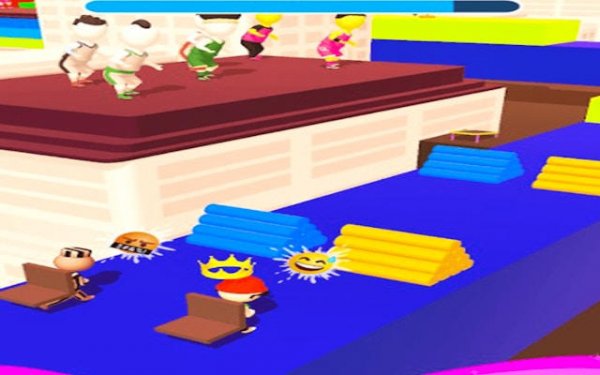
Color Bridge Runner - Arcade Race is a lively multiplayer arcade game that places you in a race across colorful rooftop landscapes. Your character runs forward automatically, and you must collect bricks and logs matching your assigned color to construct bridges over gaps. The first player to build all required bridge segments and reach the final rooftop wins. Each race is dynamic, with real players competing for resources and choosing the fastest routes. The game is designed for quick sessions, offering accessible controls and light strategic decisions that keep every match fresh.

How to Play

To play, start by collecting scattered resources that match your player color as you run. When you reach a gap, use your collected materials to place bridge segments and cross safely. You can choose the fastest path for your bridge to save time, but watch out for other players who might grab uncollected resources. Prioritize picking up rare materials to speed up your build. The goal is to be the first to complete all bridges and cross the final rooftop. Controls are simple and intuitive, making it easy for anyone to jump in.

Game Features

Features include vibrant 3D worlds that are visually engaging. The game offers competitive multiplayer with real-time races against other players. Controls are easy and intuitive, suitable for all skill levels. Strategic building allows you to choose the fastest routes and manage resources. Each race feels unique due to dynamic player interactions and varied resource placement.

Tips for Success

Focus on collecting resources of your color as quickly as possible. Plan your bridge route to be as short as possible to save time. Keep an eye on opponents to anticipate their moves and grab resources before they do. Practice running and building simultaneously to improve your speed. Stay calm under pressure to make smart decisions during tight races.

Compatibility

๐Ÿ’ป Desktop | ๐Ÿ“ฑ Mobile | ๐Ÿ“Ÿ Tablet
โ€“ All supported ยท Best with Chrome or Safari

Faq

Can I play Color Bridge Runner - Arcade Race offline?
The game is designed for online multiplayer races against real players. An internet connection is required to participate in live matches. Offline modes may not be available.
Is Color Bridge Runner - Arcade Race free to play?
The game may be free to download and play, but it could include optional in-app purchases for cosmetic items or boosts. Check the app store listing for specific pricing details.
What platforms is Color Bridge Runner - Arcade Race available on?
The game is likely available on mobile devices such as iOS and Android. It may also be available on PC or other platforms. Check the official app stores for availability.
How many players can race in a single match?
Each race supports multiple real players competing simultaneously. The exact number of players per match may vary, but it is designed for small groups of racers to keep matches quick and competitive.
Are there different characters or skins to unlock in Color Bridge Runner - Arcade Race?
The game may offer various character colors or visual skins that can be unlocked or purchased. These are cosmetic and do not affect gameplay, allowing players to personalize their experience.
Does the game have a single-player mode or practice mode?
The primary mode is multiplayer racing. A practice or single-player mode may be available to help players learn the mechanics before competing against others. Check the game menu for options.