Drawing That Becomes the World
What sets Sketch & Slide Bear Adventure apart is that children draw directly on the screen before the action begins. Those personal sketches are not just saved as pictures — they appear inside the game world that the bears slide through. A shape drawn in one session changes how the next run looks, so no two play sessions feel identical. This encourages kids to experiment with different shapes and colors, blending art time with game time in a way that feels natural rather than forced.
Steering the Bears Downhill
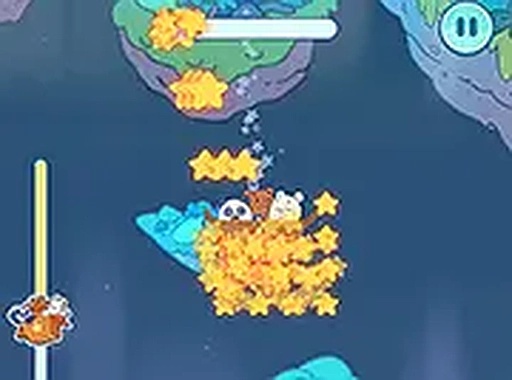
Once the drawing is done, the core loop is simple: guide baby bears as they slide downward. Players use touch or mouse input to move left or right along the path. The controls respond quickly and forgive small mistakes, which matters for younger children who are still developing fine motor skills. Gentle, well-timed movements help collect more stars, while sudden jerks often cause missed pickups. [IMG_1]
Magnet Power-Ups and Scoring
Special magnet items appear along the sliding path. When a bear gets close to one, the magnet pulls in stars from a wider radius, producing a quick score boost. This adds a small strategic layer: players must decide whether to steer toward a magnet for a cluster of stars or stay on a direct line to grab individual stars. The magnet is easy to spot and simple to use, so even very young players can understand its value without reading instructions. [IMG_2]
Designed for Small Hands and Shared Screens
The game runs in a web browser on both desktop and mobile devices, with no download or installation required. A full-screen option gives a more focused view. Touch targets are large, and the interface avoids tiny buttons or complex menus. This makes it practical for family use at home or while traveling. The bright, cheerful visuals and friendly bear characters keep the tone welcoming, and the absence of ads, pop-ups, or inappropriate content means parents can let children play independently.






Comments
0 comments