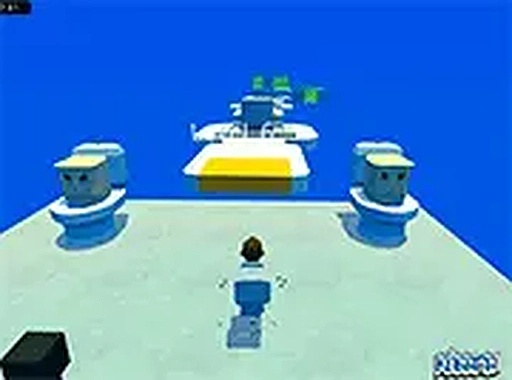
Course Structure and Difficulty Curve
Obstacle Run 26 Stages is built around 26 distinct courses, each a sequence of physical challenges rather than a single continuous world. Early stages focus on basic movement: running, jumping, and clearing simple gaps. As you progress, moving platforms appear that shift at different speeds and angles, so timing matters more than raw speed. Later courses combine multiple hazard types, asking you to read the screen and plan each jump. The difficulty curve is gradual; newcomers get room to learn the controls, while experienced players still face sections that demand precision.
Cooperative Multiplayer
Multiplayer turns the game into a shared activity. You can see other players' positions on screen, which changes how you approach tricky sections. One player can test a risky path while others wait for the right moment, making hard segments feel like small puzzles solved together. This social layer reduces the frustration of repeated failures, because a wipe is something the group recovers from rather than a solo setback.
Controls and Readable Visuals
Movement uses WASD or the arrow keys, and the mouse controls the camera. Jumping is responsive, and the character reacts quickly to input, so the learning curve comes from level design rather than control lag. The interface stays clean, with on-screen indicators showing progress through each stage. Bright, saturated colors and clearly outlined platforms help you tell safe surfaces from hazards at a glance. Backgrounds shift subtly between stages, adding variety without distracting from the action.
Checkpoints and Practice
Each stage includes checkpoints that save your progress after certain points. Falling sends you back to the last checkpoint instead of restarting the whole level, which encourages experimentation. You can rehearse a specific jump or sequence without penalty, gradually building muscle memory for the hardest sections. Short play sessions work well for this kind of practice, since you can focus on one difficult segment and stop when you have it down.





Comments
0 comments