Classic Chess Strategy Board Game

Classic Chess Strategy Board Game

Developer: Faith Veil Digital
Published: 2025-11-10
Updated: 2026-07-04
| Board Games , Strategy

Review

Classic Chess offers a clean and intuitive interface that stays true to the traditional board game. The move highlighter is great for beginners, while the AI opponent provides a good challenge. The ability to undo moves helps players learn from mistakes. It is a solid choice for anyone looking to play chess online without distractions.

About This Game

Game Introduction

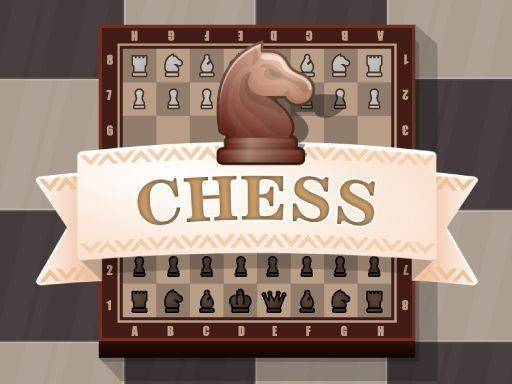
Classic Chess is a timeless two-player strategy board game played on an 8x8 checkered board with 64 squares. Each player begins with 16 pieces: one king, one queen, two rooks, two knights, two bishops, and eight pawns. The primary objective is to checkmate your opponent's king, placing it under attack with no legal move to escape. This online version brings the classic game to your screen, allowing you to enjoy the depth of strategic thinking and creative play that has captivated players for centuries. It is a game of patience, foresight, and skill, where every move counts. The game is known for its balance between offense and defense, requiring players to think several moves ahead. Its simple rules hide a deep complexity, making it accessible to beginners while offering endless challenges for experienced players. This version preserves the traditional rules and feel of the original board game, ensuring an authentic experience.

How to Play

To play, set up the board so each player has a white square on their right. Players take turns moving one piece at a time. Each piece moves in a unique way: pawns advance forward one square (or two on their first move) and capture diagonally; knights move in an L-shape; bishops slide diagonally; rooks move horizontally or vertically; the queen can move any direction; and the king moves one square in any direction. The game ends when a king is checkmated, a player resigns, or a draw is agreed. The interface typically highlights legal moves, making it easy for beginners to learn the rules. Players can also undo or redo moves to experiment with different strategies.

Game Features

Classic two-player gameplay with strategic depth. Easy-to-learn rules with a helpful move highlighter. Play against a friend or an AI opponent. Undo and redo moves to practice different strategies. Clean board design and smooth piece animations for a pleasant experience. This online version may also include options to adjust difficulty or time controls, enhancing replayability. The game focuses on providing a smooth and intuitive interface that respects the traditional rules of chess.

Tips for Success

Control the center of the board early to give your pieces more mobility. Develop your knights and bishops before moving your queen or rooks. Castle early to protect your king and connect your rooks. Think several moves ahead and consider your opponent's threats. Practice regularly to recognize common patterns like forks, pins, and skewers. Review your games to learn from mistakes and improve your strategy over time.

Compatibility

๐Ÿ’ป Desktop | ๐Ÿ“ฑ Mobile | ๐Ÿ“Ÿ Tablet
โ€“ All supported ยท Best with Chrome or Safari

Faq

Can I play Classic Chess on mobile devices?
Yes, the online version is designed to be responsive and works on most mobile browsers. You can play on your phone or tablet with touch controls that make moving pieces easy.
Is there a rating or ranking system in Classic Chess?
Some online versions may include a rating system to track your progress and match you with opponents of similar skill. Check the game settings to see if this feature is available.
Does Classic Chess support different board themes or piece sets?
Many online chess games offer options to change the board color or piece style. This version may include a few visual themes to customize your experience, though not all versions have this feature.
Can I save my game and continue later?
Some online chess platforms allow you to save your game in progress and resume it later. This feature is not guaranteed in every version, but it is common in many digital chess implementations.
Is there a tutorial for beginners in Classic Chess?
While the game includes a move highlighter to help you see legal moves, it may not have a full tutorial. Beginners are encouraged to learn basic rules from external resources or practice with the AI opponent.
How do I resign or offer a draw in Classic Chess?
Most online chess games have a button or menu option to resign or offer a draw. Look for these controls in the game interface, usually near the board or in a settings menu.