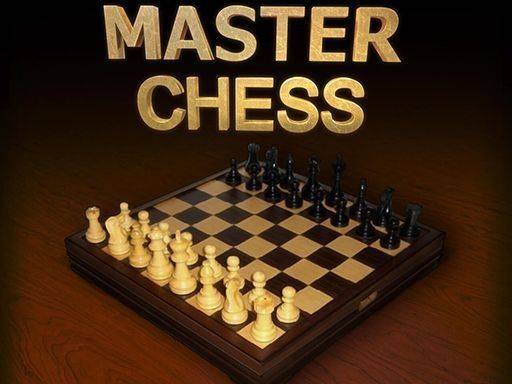
Classic Chess Strategy Board Game

Classic Chess Strategy Board Game

Developer: Ace Core Games
Published: 2025-12-04
Updated: 2026-07-04
| Board Games , Strategy

Review

Classic Chess Strategy Board Game delivers a polished chess experience with a distraction-free interface. The adjustable computer difficulty makes it great for both beginners and experienced players. Local multiplayer is a nice touch for playing with friends. The HTML5 design ensures smooth performance across devices without any downloads.

About This Game

Game Introduction

Classic Chess Strategy Board Game brings the timeless game of chess to your browser with a clean, modern interface. This HTML5 board game is designed for players of all skill levels, from those just learning the rules to experienced strategists seeking a challenging match. The core objective is to checkmate your opponent's king while protecting your own, following standard chess rules. What makes this version stand out is its intuitive controls and distraction-free design, allowing players to focus entirely on strategy. The game provides two primary modes: playing against a computer opponent with adjustable difficulty or enjoying a friendly match with a friend on the same device. This flexibility makes it suitable for both solo practice and social play. With no downloads or installations required, you can start playing instantly, making it a convenient choice for a quick mental workout or a longer strategic session. The game promotes strategic thinking and healthy competition, making it a family-friendly activity for all ages.

How to Play

To play Classic Chess Strategy Board Game, players first select their preferred game mode: single-player against the computer or local multiplayer with a friend on the same device. The game follows standard chess rules. Players take turns moving pieces across the board, with the goal of trapping the opponent's king in a checkmate position. The interface highlights possible moves for selected pieces, helping players plan their strategies. In single-player mode, the computer opponent provides a challenge, and players can adjust the difficulty level to match their experience. In local multiplayer, players alternate turns on the same device, making it easy to enjoy a game together. The game ends when one player achieves checkmate or when a draw is agreed upon.

Game Features

Classic Chess Strategy Board Game includes several features that enhance the playing experience. It offers two game modes: single-player against a computer opponent and local multiplayer for two players on the same device. The design is modern and stylish, with a clean interface that makes navigation simple. The game highlights possible moves for each piece, assisting players in planning their strategies. The computer opponent has adjustable difficulty levels, allowing players to choose a challenge that suits their skill. The game is entirely browser-based, requiring no downloads or installations, and is family-friendly, suitable for players of all ages.

Tips for Success

To improve your performance in Classic Chess Strategy Board Game, practice regularly to become familiar with common opening moves and endgame strategies. Pay attention to controlling the center of the board and developing your pieces early. Think several moves ahead and anticipate your opponent's responses. For beginners, starting with lower difficulty settings can help build confidence before facing tougher challenges.

Compatibility

๐Ÿ’ป Desktop | ๐Ÿ“ฑ Mobile | ๐Ÿ“Ÿ Tablet
โ€“ All supported ยท Best with Chrome or Safari

Faq

Is Classic Chess Strategy Board Game free to play?
Yes, Classic Chess Strategy Board Game is completely free to play. There are no hidden costs or subscriptions required. Simply open the game in your browser and start playing immediately.
Can I play Classic Chess Strategy Board Game on my mobile phone?
Yes, since the game is built with HTML5, it is compatible with most modern mobile browsers. You can enjoy the game on smartphones and tablets without needing to download any app.
Does Classic Chess Strategy Board Game require an internet connection?
An internet connection is required to load the game initially. However, once loaded, the game may run offline for single-player matches against the computer, depending on your browser's capabilities.
How do I change the difficulty of the computer opponent in Classic Chess Strategy Board Game?
Before starting a single-player game, you can select the difficulty level from the game's menu. Options typically range from easy to hard, allowing you to choose a challenge that matches your skill level.
Can I save my game progress in Classic Chess Strategy Board Game?
The game may not include a save feature, as it is designed for quick sessions. However, you can usually pause the game and leave the browser tab open to resume later, depending on your browser settings.
Is there a timer or time limit in Classic Chess Strategy Board Game?
The game does not appear to include a built-in timer. Players can take as much time as they need to consider their moves, making it suitable for relaxed play and thoughtful strategy.