Advertisement
Classic Checkers Board Game

Classic Checkers Board Game

Developer: Paladin Creations
Published: 2026-03-20
Updated: 2026-07-04
Board Games , Strategy

Review

Classic Checkers Board Game delivers the timeless strategy experience with a polished digital interface. The inclusion of online multiplayer, vs. computer, and local two-player modes makes it versatile for any situation. The controls are intuitive, and the game runs smoothly on various devices. It is a great choice for both beginners and experienced players looking for a reliable checkers game.

Faq

Can I play Classic Checkers Board Game on my mobile phone?
Yes, the game is built with HTML5 technology, so it works on most modern browsers and devices, including smartphones and tablets. You can play directly in your browser without downloading any app.
Is Classic Checkers Board Game free to play?
Yes, the game is free to play. There are no hidden costs or subscriptions required. You can enjoy all the modes, including online multiplayer and playing against the computer, at no charge.
Do I need to create an account to play online?
Typically, online play in browser-based checkers games does not require an account. You can usually join a match or start a game directly. Check the main menu for specific instructions.
What are the system requirements for playing?
The game requires a modern web browser that supports HTML5, such as Chrome, Firefox, Safari, or Edge. An internet connection is needed for online multiplayer, but the vs. PC and local modes may work offline.
Can I undo a move if I make a mistake?
Many digital checkers games offer an undo feature, but it depends on the specific implementation. Check the game's settings or controls during your turn to see if an undo option is available.
Is there a timer or time limit for each move?
Time limits vary by game mode. Some modes may have a timer to keep the game moving, while others allow unlimited time. You can usually see the timer on the screen if it is active.

About This Game

Game Introduction

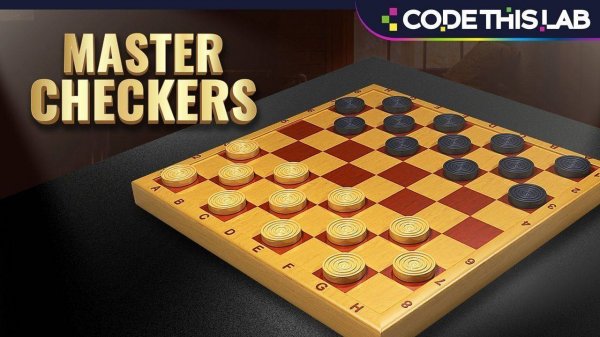
Classic Checkers Board Game is a digital version of the well-known strategy board game. The main goal is to capture all of your opponent's pieces or block their moves, following standard rules. This version offers multiple ways to play, including online matches, games against a computer opponent, and local two-player sessions on the same device. The game works on various devices and provides a clean, easy-to-use interface suitable for players of all ages. Whether you want a quick match or a longer strategic session, this game offers a familiar and engaging experience.

How to Play

Players take turns moving their pieces diagonally forward across the board. To capture an opponent's piece, you jump over it into an empty square. If a piece reaches the opponent's back row, it becomes a king and can move both forward and backward. The game ends when one player captures all of the opponent's pieces or blocks all possible moves. Controls are simple, often using drag-and-drop or click-to-move actions, making it easy to play on touchscreens or with a mouse.

Game Features

Classic Checkers Board Game includes several modes: online multiplayer for real-time matches, a vs. PC mode to challenge a computer opponent, and a local friend mode for two players on the same device. The game uses smooth HTML5 technology, so it works on most modern browsers and devices. The interface is family-friendly and intuitive, suitable for all ages. The game follows standard checkers rules for a fair experience.

Tips for Success

Control the center of the board early to give yourself more movement options. Plan your moves several steps ahead and anticipate your opponent's responses. Protect your back row to prevent the opponent from crowning their pieces. Practice regularly to improve your strategic thinking. If you are new, start by playing against the computer on a lower difficulty to learn the basics before challenging human opponents.

Compatibility

Play on Any Device | Chrome / Safari / Edge Recommended

Comments

0 comments
U
User
Loading comments...