Beach Party Music Match

Beach Party Music Match

Developer: Happy Pixel Games
Published: 2025-07-08
Updated: 2026-07-16
| Fun , Music , Rhythm , Casual , Arcade , Family

Review

Beach Party Music Match offers a delightful rhythm experience with its colorful beach theme and upbeat soundtrack. The controls are simple, making it accessible for all ages, while the increasing tempo provides a satisfying challenge. The game runs smoothly in a browser with no downloads required, and the multiple songs keep the gameplay fresh. It is a perfect choice for casual players looking for a fun, stress-free musical activity.

About This Game

Game Introduction

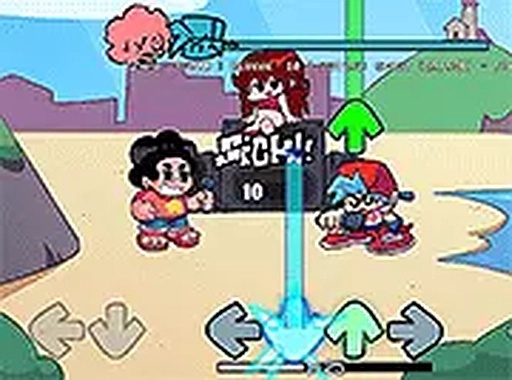
Beach Party Music Match is a free browser-based rhythm game that brings together cheerful music and bright, sunny visuals. Inspired by the energy of a seaside celebration, players take part in musical performances alongside animated characters. The game blends the charm of a popular animated series with core rhythm mechanics, offering original songs that capture a playful beach atmosphere. Designed for desktop browsers, it requires no downloads or registration, making it easy to start playing immediately. The main objective is to match on-screen cues to the rhythm of each track, keeping up as the tempo increases. The game emphasizes timing and coordination, providing a lighthearted experience for players of all ages. Its colorful art style and lively animations reflect the fun of a beach party, creating an inviting environment for both fans of the series and rhythm game enthusiasts. The game is completely free to play, focusing on accessible entertainment without any hidden costs or barriers.

How to Play

Players use their keyboard to respond to directional prompts that appear on the screen. Each prompt corresponds to a note in the current song, and the goal is to press the matching key when the prompt reaches a designated target zone. Successfully matching notes earns points and keeps the performance moving forward. As players progress through songs, the speed and complexity gradually increase, requiring sharper reflexes. Settings allow adjustments to volume and game speed, and pressing the escape key pauses the action. For the best experience, playing in full screen mode on a computer with a stable internet connection is recommended. The controls are simple to learn, making the game suitable for newcomers and experienced players alike.

Game Features

The game includes multiple songs, each with a unique rhythm that reflects the upbeat beach theme. Animated characters appear with distinct movements during performances, adding visual variety. The bright, colorful graphics match the cheerful seaside setting. The game runs directly in a web browser without any downloads or installations, and it supports full screen mode for an immersive experience. Controls are straightforward, making the game easy to pick up and play. It offers a fun way to enjoy music while testing timing and reflexes, all within a free, accessible platform.

Tips for Success

Practice regularly to improve your timing and accuracy. Start with slower songs to get comfortable with the rhythm before moving to faster tracks. Pay attention to the beat and try to anticipate note patterns. Adjust the game speed in settings if needed to match your skill level. Staying relaxed and focusing on the target area can help reduce mistakes. If you miss notes, don't get discouraged—keep playing to build muscle memory. Using full screen mode can minimize distractions and help you concentrate on the gameplay.

Compatibility

• OS: Windows 10+, macOS 11+, iOS 14+, Android 10+
• Browsers: Chrome 100+, Safari 15+, Edge 100+, Firefox 100+
• Not compatible with Internet Explorer
Tested on real devices ✅ works as expected

Faq

Is Beach Party Music Match free to play?
Yes, the game is completely free to play. There are no hidden fees, subscriptions, or in-game purchases required. You can enjoy all songs and features without any cost.
Do I need to create an account to play?
No account or registration is needed. Simply open the game in your browser and start playing immediately. Your progress is saved locally, so you can continue from where you left off.
What devices are supported for Beach Party Music Match?
The game is optimized for desktop browsers on computers. It works best with a keyboard and a stable internet connection. Mobile devices and tablets may not be fully supported.
Can I adjust the difficulty in Beach Party Music Match?
Yes, the game includes settings that let you adjust the game speed. Slower speeds are easier for beginners, while faster speeds provide a greater challenge. You can change these settings at any time.
Are there different songs to play in Beach Party Music Match?
Yes, the game includes multiple songs, each with its own unique rhythm and tempo. The songs are original and reflect the cheerful beach party theme, offering variety as you progress.
Does Beach Party Music Match have a pause feature?
Yes, you can pause the game at any time by pressing the escape key on your keyboard. This allows you to take a break or adjust settings without losing your progress in the current song.

Comments

0 comments
U
User
Loading comments...