 Arcane Playground
Arcane Playground
Arcane Playground
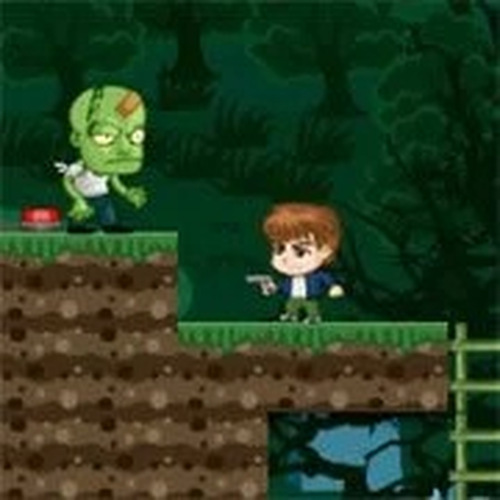
The Ironic Zombie offers a unique and safe experience for all ages. With two distinct characters and simple controls, it is easy to learn but offers strategic depth. The ability to use boxes and tools creatively adds replayability. Perfect for casual gaming sessions with friends or family.
The Ironic Zombie: Family Fun Game is a lighthearted online game designed for two players. It offers a creative twist on the zombie genre, focusing on playful competition rather than horror. Players can choose between a mocker zombie and a young adventurer, each with unique abilities. The game is family-friendly, with no graphic violence or scary content, making it suitable for all ages. It emphasizes strategic play, using boxes and tools to outsmart the opponent. The simple controls and free online access make it easy to jump in and enjoy with friends or family.
To play, first select your character. The mocker zombie uses arrow keys to move, the L key to shoot, K to carry or throw boxes, and U to change tools. The young adventurer uses WASD to move, F to shoot, G to throw grenades, and Q to change tools. The goal is to outplay your opponent by using your unique abilities. Boxes can be used as obstacles or weapons. The game may be turn-based or real-time, depending on the mode. You can play against the computer or with a friend. The controls are intuitive, allowing you to learn quickly and focus on fun.
This game features dual-character gameplay with two distinct roles, encouraging replayability. It offers simple controls that are accessible for all ages. The theme is creative and family-friendly, with no graphic violence. It is free to play online with no downloads required. The game supports both single-player against the computer and two-player local play. Strategic use of boxes and tools adds depth to the gameplay. The lighthearted zombie theme provides a unique and enjoyable experience for casual gamers.
To succeed in The Ironic Zombie: Family Fun Game, practice moving and using your character's abilities. Learn to use boxes strategically—they can block attacks or be thrown at your opponent. Experiment with different tools to find what works best. Pay attention to your opponent's moves and adapt your strategy. Communication with your friend can make the game more fun. Take turns playing both roles to understand each side's strengths. Stay calm and have fun—the game is designed for lighthearted competition.
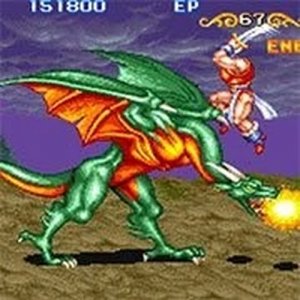
A nostalgic arcade game with RPG elements and family-friendly action that everyone can enjoy.
A fun, family-friendly 2 player game with simple controls and strategic depth.

Clean graphics and responsive controls. The variety of mini-games keeps it engaging for short sessions.