 Arcane Playground
Arcane Playground
Arcane Playground
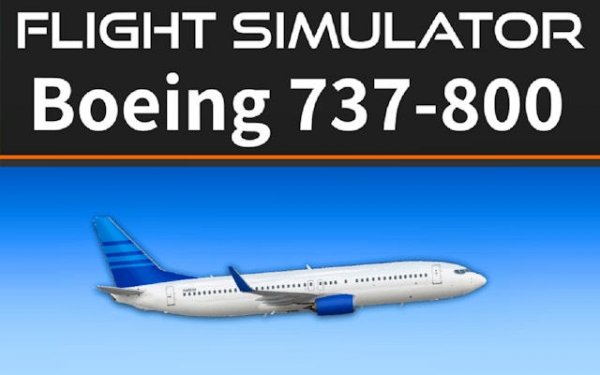
Flight Simulator 737-800 provides a rewarding experience for anyone curious about flying. The interactive panels and realistic physics make each flight feel meaningful. Beginners can start with simple controls, while advanced users explore FMC programming and trim management. Replay value comes from trying different routes and mastering procedures.
Flight Simulator 737-800: Realistic Cockpit Experience brings the complexity of commercial aviation to your browser. This simulation focuses on the Boeing 737-800, one of the most widely used aircraft in the world. Players take on the role of a pilot, managing every critical system from pre-flight checks to landing. The interactive cockpit features realistic avionics, including functional FMC displays for programming flight routes. Engine thrust, elevator trim, flap settings, and spoilers are all adjustable using keyboard controls. The game balances accessibility for newcomers with depth for experienced simmers. Each flight can be customized with different parameters, allowing for varied challenges. The goal is to complete flights safely by following proper procedures and maintaining control. This title stands out for its dedication to authenticity without requiring expensive hardware or software.
To fly the aircraft, use the W and S keys to adjust engine thrust. The left and right arrow keys control elevator pitch and roll. Press Q and A to set flaps for takeoff or landing. G toggles the landing gear, and B applies wheel brakes. T activates takeoff or go-around mode. Use R and F for elevator trim to maintain steady flight. E and D deploy or retract spoilers to manage speed. Mouse interaction allows you to click switches and buttons on the cockpit panels. Adjust zoom for better visibility of instruments. Program your flight route using the FMC displays. Start with simple flights and gradually add complexity as you learn each system.
Fully interactive cockpit with clickable panels and switches. Realistic avionics and FMC displays for route programming. True-to-life flight physics for accurate aircraft behavior. Customizable flight parameters before each takeoff. Keyboard and mouse controls for comprehensive system management.
This simulation offers a satisfying blend of learning and play. You gain practical knowledge of aircraft systems while enjoying the challenge of completing flights. It is suitable for short sessions or extended exploration of aviation procedures.

Simple controls and increasing difficulty make this a great choice for casual players. Perfect for short breaks.
Engaging mining simulation with clear progression. Great for relaxing breaks and strategic thinking.

Simple and enjoyable zoo builder with idle rewards. Perfect for casual players.
Smooth controls and bright visuals make SkyBlaze a cheerful pick for quick arcade flying sessions.
Clean space arcade action. Great for quick play sessions with progressive challenges.
Smooth controls and retro charm. Great for quick, satisfying arcade sessions.
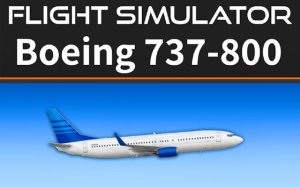
Authentic cockpit controls and detailed systems. Great for learning aviation basics.
Smooth controls and colorful graphics. Great for quick arcade sessions with a competitive leaderboard.